
Nomad Pixel for iPad
The same app and files as the desktop, with a touch interface built around Apple Pencil Pro. It's a free download with a 14-day trial and one in-app unlock, and it needs iPadOS 26.
One app, two interfaces
Studio is the full desktop interface. Focus is a simpler touch one built for the iPad and Apple Pencil Pro. Both run on desktop and iPad, and you can switch while you work without losing open documents or undo history.


Studio
The whole desktop interface, with dockable workspaces for drawing, animation and tilemaps. Finger gestures work in Studio too, so you can use it on the iPad when you want every panel on screen.
Focus
The canvas takes the screen, and the tools, colors, layers and timeline sit in panels you can close. Fingers move the canvas while the Pencil draws. Focus works on the desktop as well.
Made for Apple Pencil Pro
Hovering the Pencil shows the exact pixels the brush will paint, at any zoom and brush size. Fingers don't paint unless you turn that on.
- Squeeze the Pencil to open a wheel of tools and recent colors under the tip
- The line tool gives a small haptic tick when the line hits a clean pixel ratio
- Pan with two fingers, pinch to zoom and twist to rotate. A two-finger tap undoes and a three-finger tap redoes
- Touch and hold to pick a color

Draw from the iPad into a file open on your desktop
Pair the iPad with the desktop app over your home Wi-Fi, pick a document the desktop has open, and draw into it with the Pencil. The desktop keeps the file open and shows each stroke as it arrives.


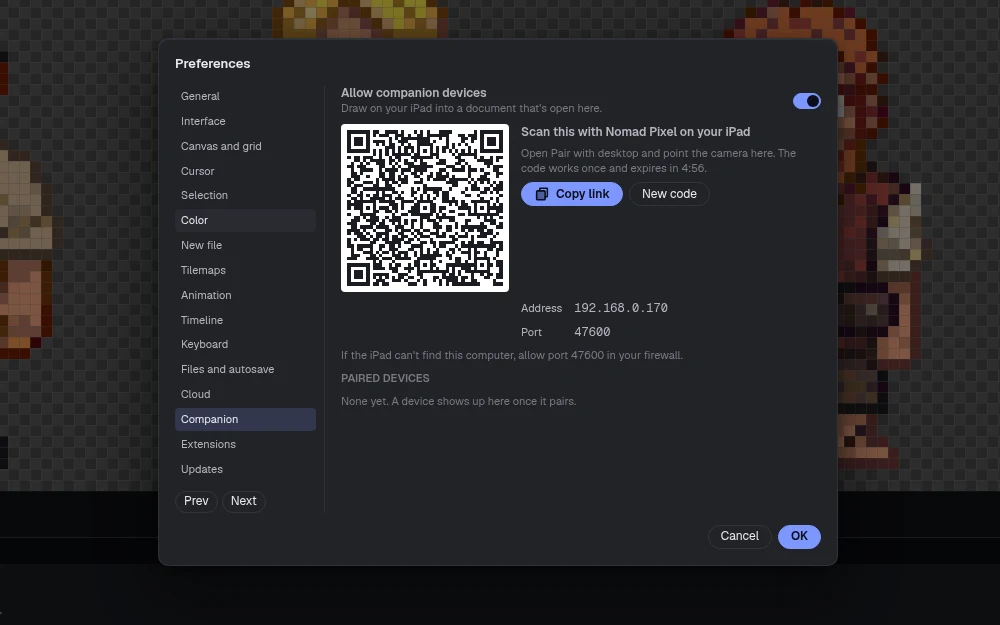
Pair with a code
Turn on companion devices in the desktop's preferences and scan the code with the iPad. The desktop asks you to allow the iPad. It works over your home Wi-Fi and needs no account or VPN.
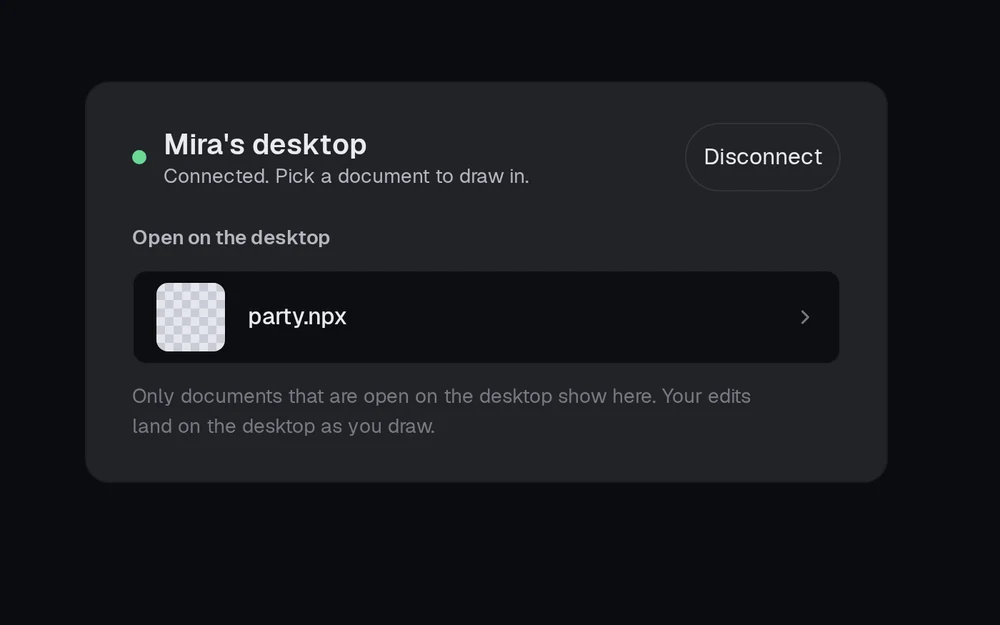
Pick a document
The iPad lists the documents the desktop has open. Pick one and it opens on both screens.
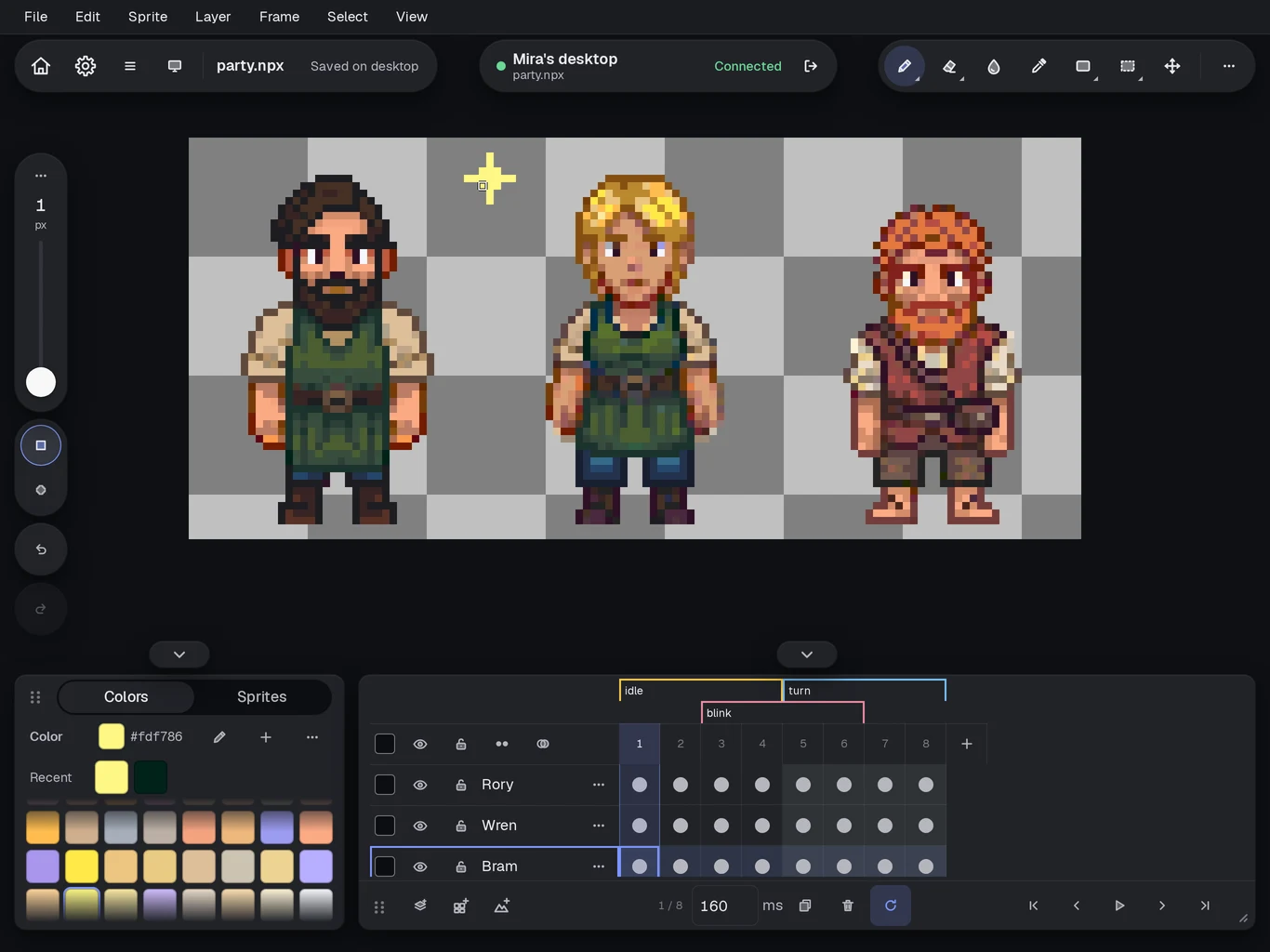
Draw together
Strokes from the Pencil go into the desktop's document, and the desktop shows them as they land.
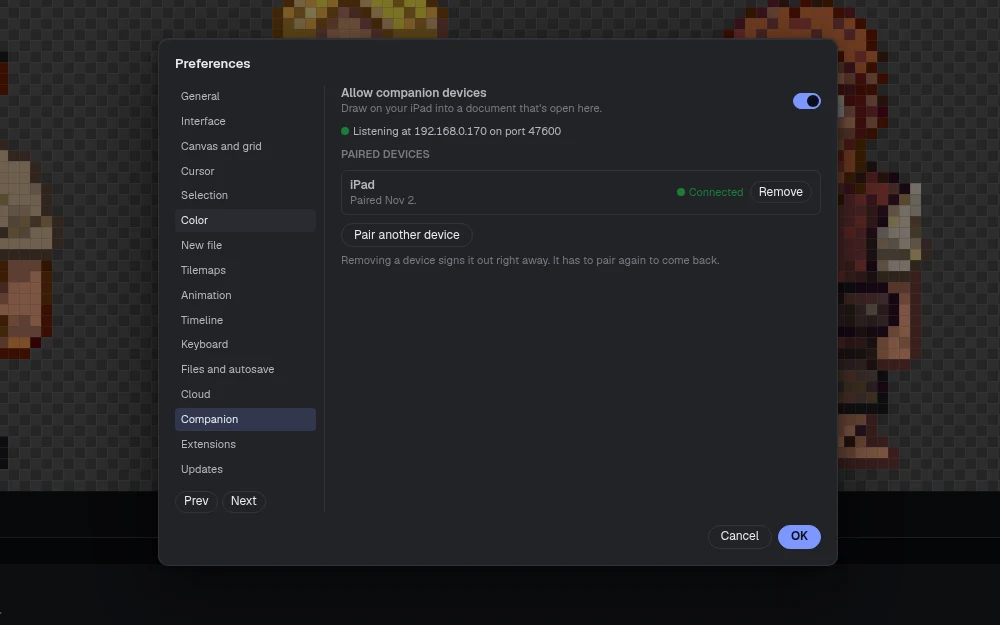
Off by default
Pairing stays off until you turn it on. You can remove a paired device whenever you like, and disconnecting doesn't lose any work.


Price
The iPad app is a free download with a 14-day trial, then one in-app unlock for $19.99. It's sold separately from the desktop version. Pricing details.
Get Nomad Pixel
On the App Store for iPad, free to try for 14 days. On itch.io for Windows, macOS and Linux, paid once. Steam comes later.